Subscription
View your current plan and upgrade when you need more capacity.
Overview
Navigate to My Account → Subscription in the dashboard sidebar. This page is only accessible to the workspace Owner and Managers.
The top of the page shows your current plan — including its status and, for paid plans, the billing interval and next renewal date. Below that, all available plans are listed so you can compare and upgrade.
Plan Status
Your subscription can have one of the following statuses:
- Active — plan is live and in good standing
- Trial — currently in a free trial period
- Payment Failed — your last payment did not go through; the subscription will be suspended if it isn't resolved in time
- Canceled — subscription has ended; your workspace has been moved to the Free plan
Payment Failed & Reactivation
If a renewal payment fails, you'll receive an email as soon as the first attempt fails, telling you the exact date your subscription will be suspended unless payment is completed. Stripe will keep automatically retrying the charge in the background over the following days.
While your subscription is in this state, a Payment Failed warning is shown across the dashboard, and your current plan's card on the Subscription page is highlighted with a Retry Payment button. Clicking it takes you to Stripe's secure billing portal, where you can complete the payment with your existing card or add a new one — no need to start a new subscription. Once payment succeeds, the warning clears automatically and your plan stays exactly as it was.
If payment is never completed and the retries run out, the subscription is canceled, your workspace is automatically moved to the Free plan, and you'll receive a final email confirming the suspension.
Upgrading Your Plan
Click Select & Checkout on any paid plan to proceed to the checkout page. Payments are processed securely through Stripe — Search API never stores your card details. Your current plan card is highlighted and its button is disabled.
Free tier plans cannot be selected via checkout; every new workspace starts on the free plan by default.
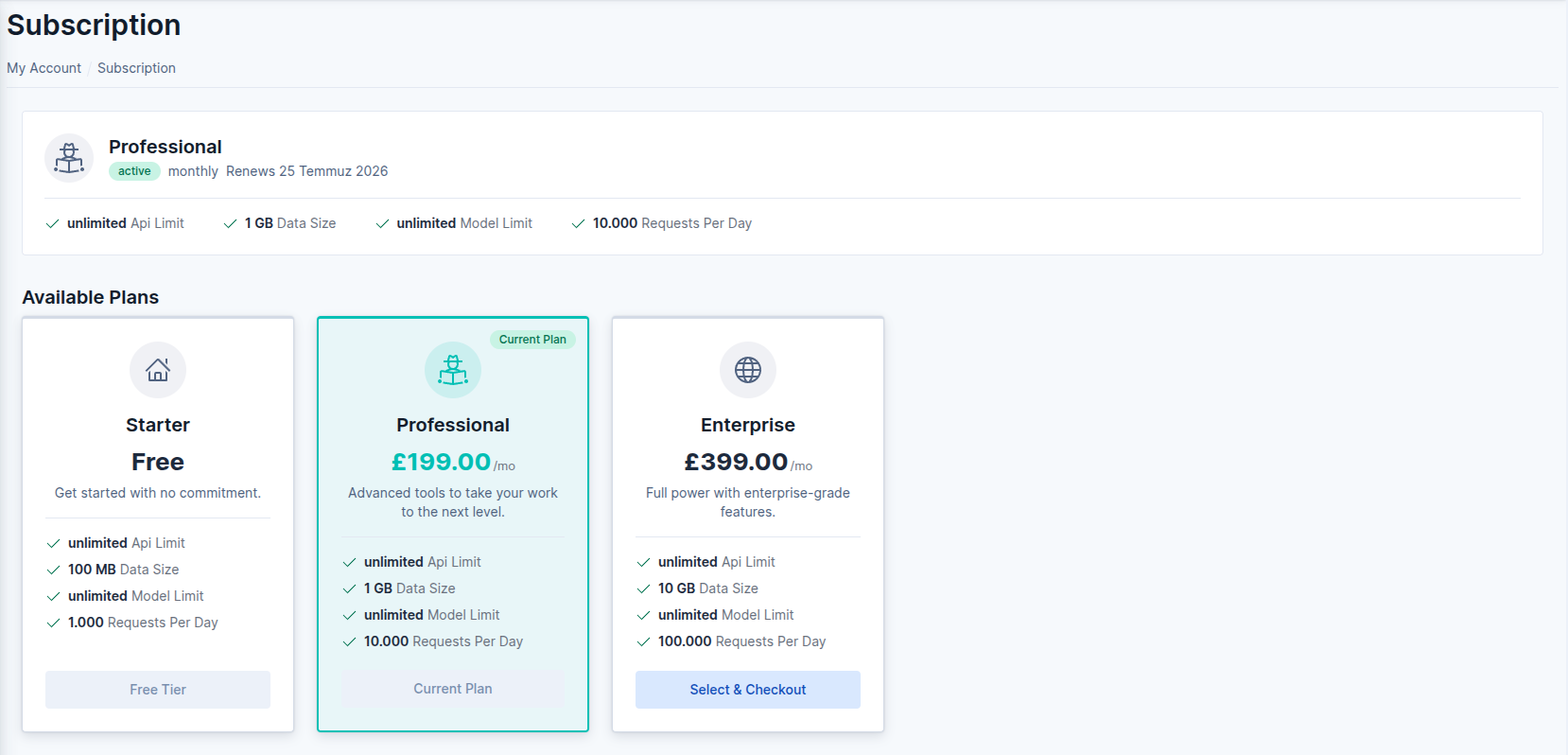 Subscription page screenshot