Create an API
An API groups the endpoints that expose your models to the outside world.
What is an API?
In SearchAPI, an API is the top-level container for your endpoints. It has a name and a path — the path becomes part of every URL your consumers will call:
Before creating an API, make sure your subdomain is already set in Company Information.
Creating an API
In the dashboard sidebar, navigate to APIs and click the + New API button. Fill in the form and click Save.
- Name — a display name for your API (max 250 bytes)
- Path — the URL path segment for this API (see rules below)
- Elasticsearch Cluster — SearchAPI's hosted Elasticsearch is used by default; toggle Use your own cluster to connect your own cluster
Clusters can be added or edited directly from this form. For detailed setup, see Elasticsearch Cluster.
When you save a new API, version v1 is automatically created for it. For more information on how versions work, see API Versioning.
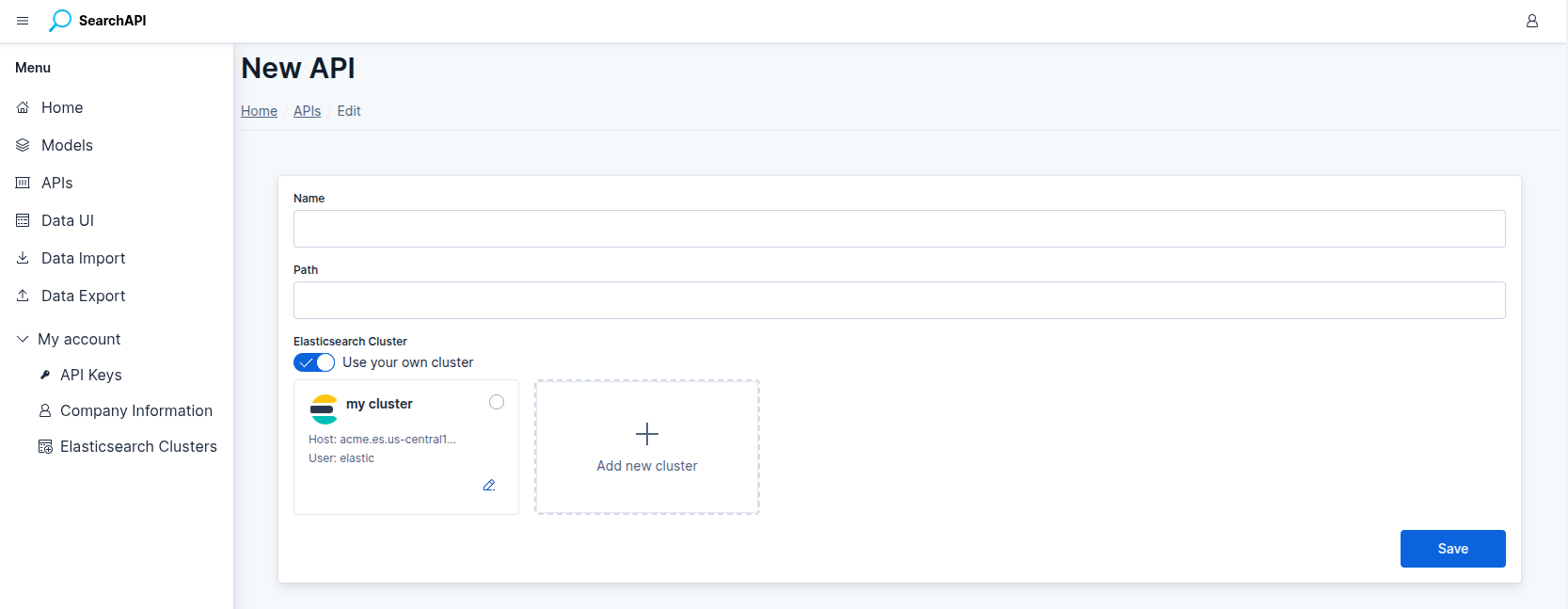 New API form screenshot
Path Rules
The API path must follow these rules:
- Only
a–z,0–9,-and_are allowed - Must start with a lowercase letter or number
- Cannot consist of only numbers
- An optional leading
/is accepted - Maximum 80 bytes
Managing APIs
All your APIs are listed on the APIs page. From there you can:
- Edit — update the name or path of an API
- View versions — see all published and draft versions
- View endpoints — jump directly to the endpoint list for this API
- Delete — remove an API; deleted APIs can be recovered within 30 days
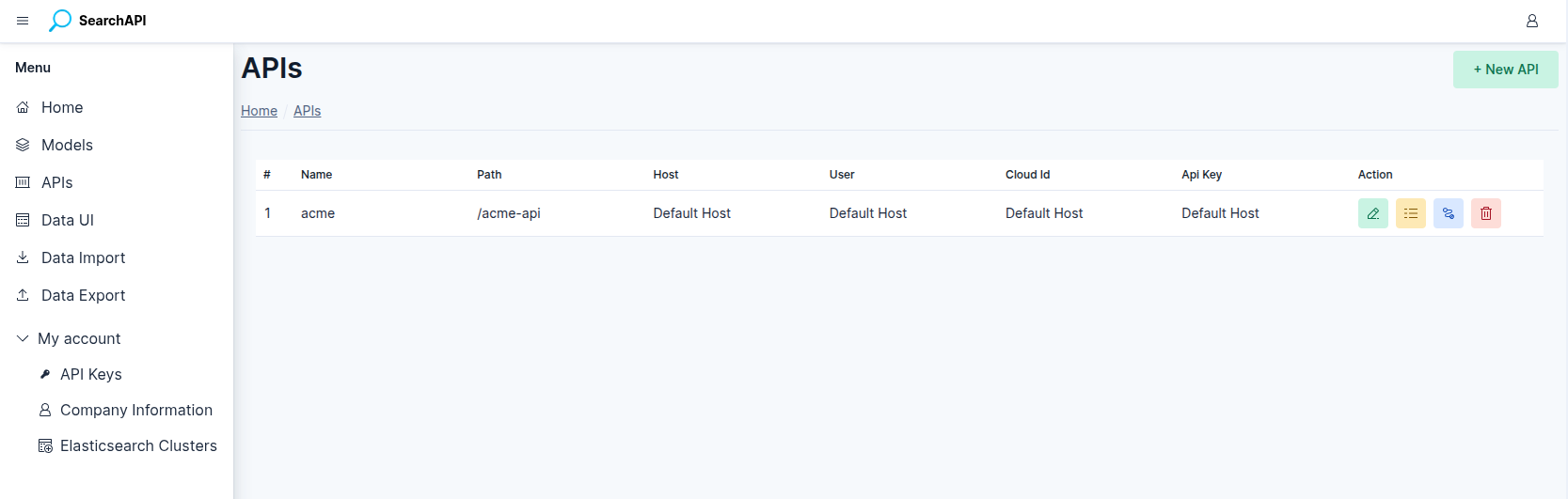 API list screenshot
Locking
Once at least one version of an API is published, the API is locked — its name and path can no longer be edited. To make changes you would need to delete the API and create a new one.