Elasticsearch Cluster
Connect your Elasticsearch cluster to SearchAPI — or use one hosted by us.
What is an Elasticsearch Cluster?
An Elasticsearch Cluster is a saved connection to an Elasticsearch cluster. SearchAPI uses this connection to read and write data on your behalf when serving API requests.
You can connect your own self-managed or cloud-hosted Elasticsearch cluster, or use an Elasticsearch cluster provided by SearchAPI. Either way, you register the connection once and then assign it to your APIs.
Adding a Cluster
Open the Elasticsearch Cluster page
In the dashboard sidebar, navigate to Elasticsearch Cluster. Click the Add button to open the configuration form.
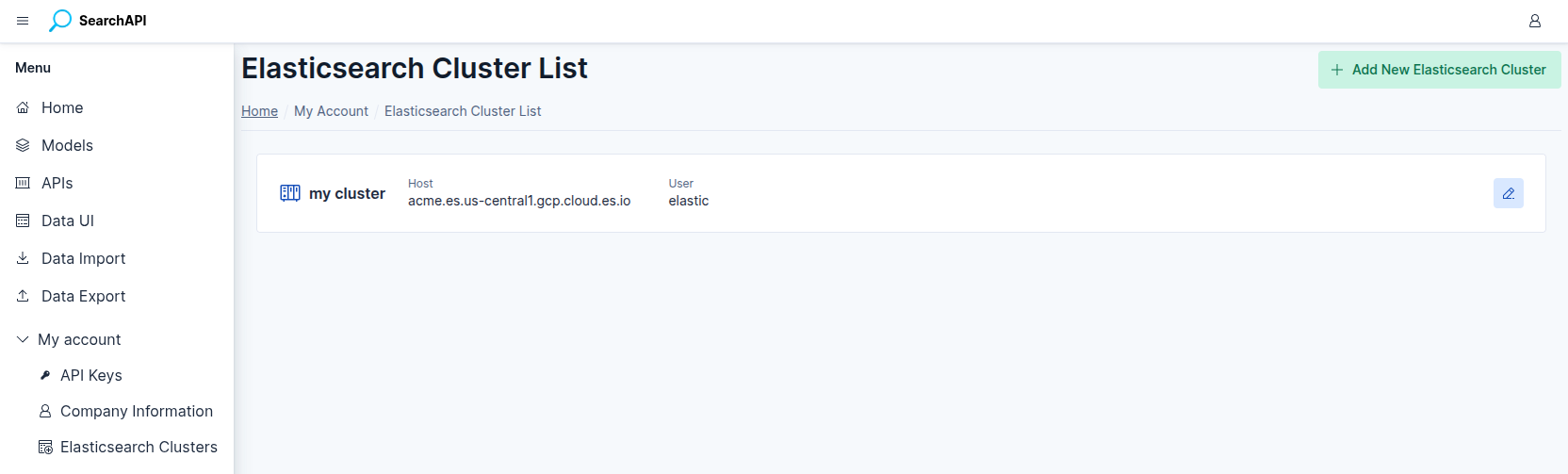 Elasticsearch Cluster list screenshot
Enter a Cluster Name and choose an authentication method
First, give your connection a Cluster Name — a free-form label used only to identify the domain in the dashboard; it is not sent to Elasticsearch.
Then select the authentication method that matches your cluster setup:
Use a username and password to connect to a standard Elasticsearch cluster.
- Host — full URL of your cluster (e.g.
acme.es.us-central1.gcp.cloud.es.io) - User — Elasticsearch username
- Password — Elasticsearch password
Use an API key to connect to an Elastic Cloud deployment.
- Cloud Id — the Cloud ID from your Elastic Cloud deployment
- Key Id — the ID portion of your API key (optional)
- Api Key — the secret value of your API key
Save the cluster
Fill in the required fields for the chosen authentication method and click Save. SearchAPI will store the connection and make it available when creating APIs.
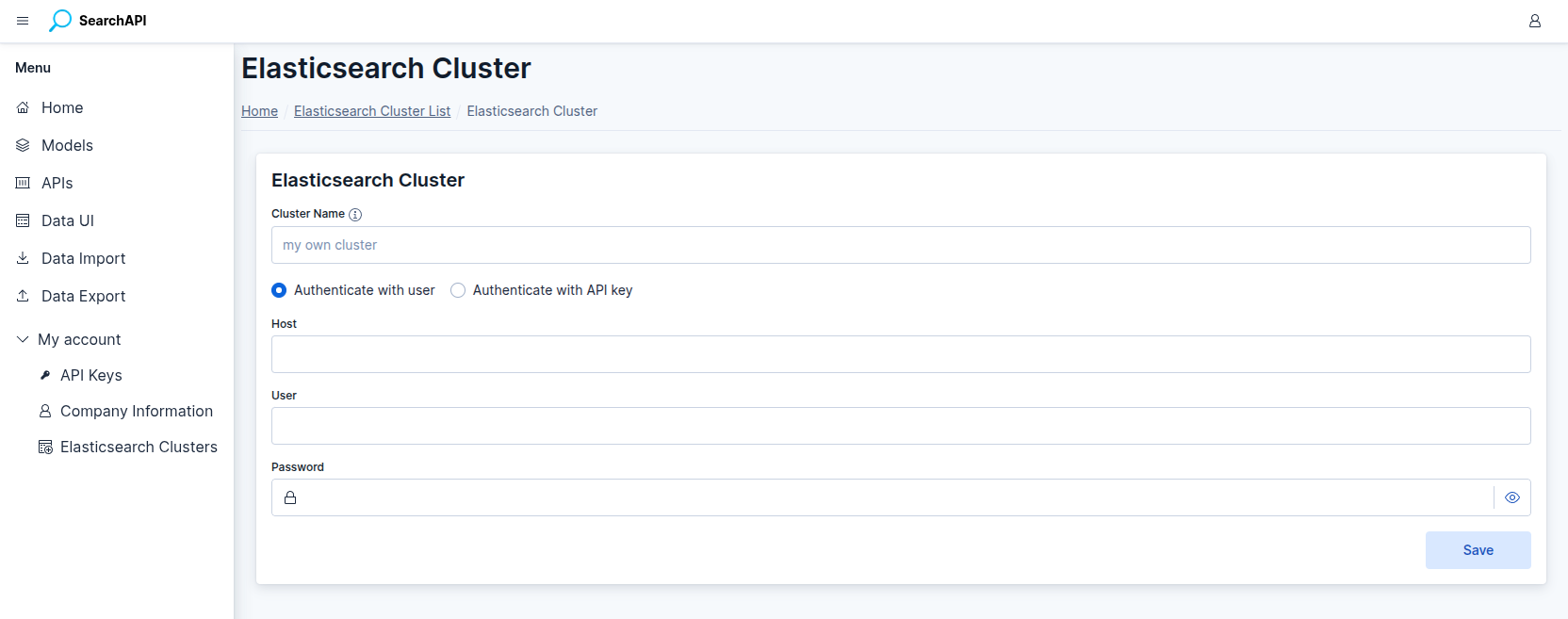 Elasticsearch Cluster form screenshot
Managing Clusters
All saved clusters are listed on the Elasticsearch Cluster page. From there you can view the connection details, edit the credentials, or delete a cluster that is no longer needed. A cluster cannot be deleted while it is assigned to an active API.