Setup Guide
A step-by-step checklist that walks you through your first workspace configuration.
Overview
After logging in for the first time, a Setup Guide widget appears in the bottom-right corner of the dashboard. It lists the essential steps needed to get your workspace ready and takes you directly to each page with a single click.
The guide covers the minimum steps required to publish your first API — from setting your subdomain to deploying a live, queryable endpoint. Completing all steps means your API is fully configured and ready to receive search requests.
Steps must be completed in order — each step unlocks only after the previous one is done. A progress bar and a counter (e.g. 2 of 6 completed) show how far along you are. Once every step is finished the widget disappears permanently.
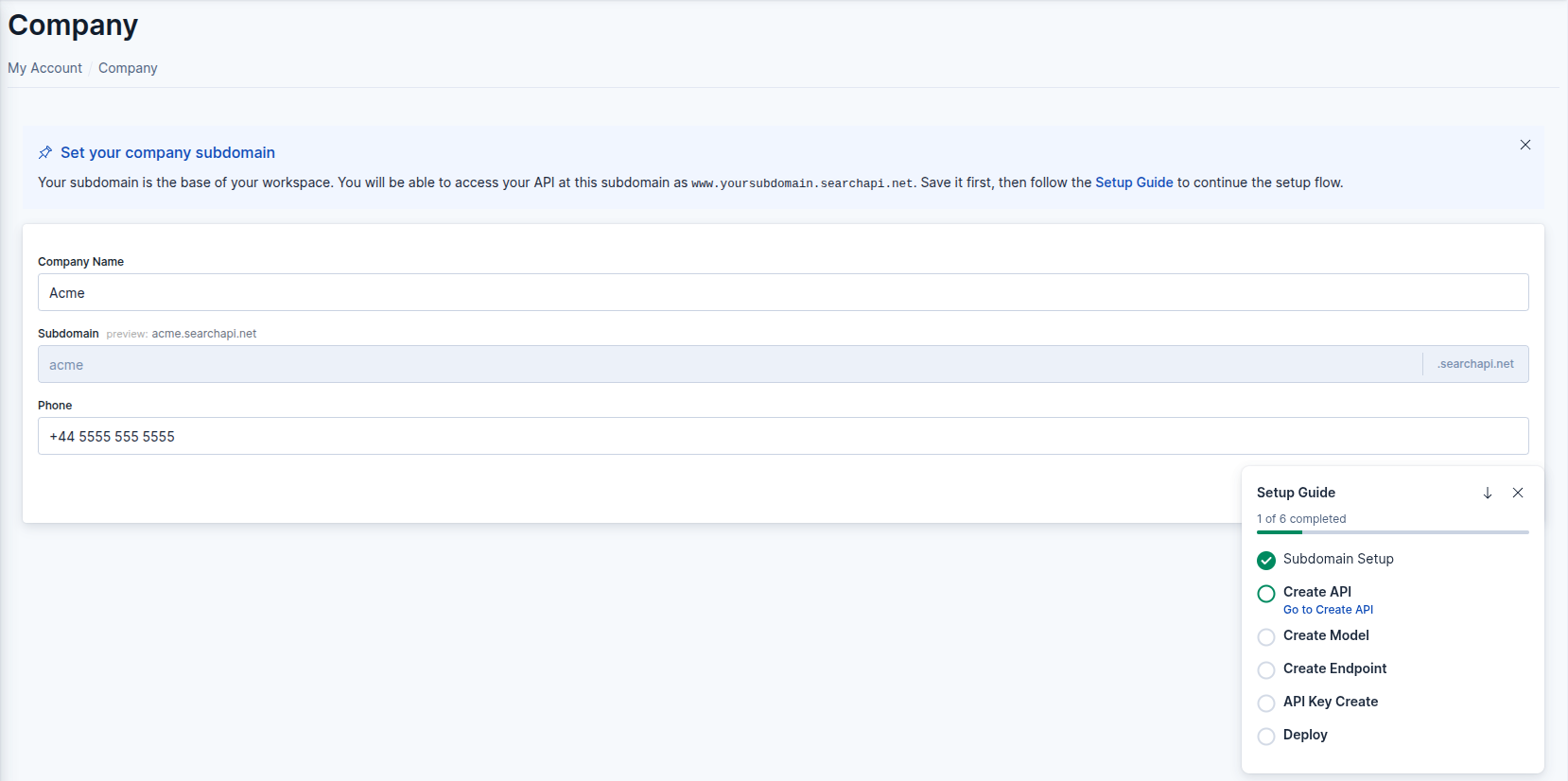 Setup Guide widget
Steps
The guide consists of six steps:
-
Subdomain Setup
Set your company subdomain from the Company Information page. The subdomain is permanent once saved and determines your workspace's Elasticsearch endpoint URL. → Company Information -
Create API
Create your first API. An API is the top-level container that groups your models, endpoints, and versions. → Create an API -
Create Model
Define the data structure your API will index. → Models -
Create Endpoint
Add a search endpoint to your API from the Endpoint List page. → Endpoints -
API Key Create
Create an API key and configure its permissions. Keys are required to authenticate requests to your search endpoints. → API Keys -
Deploy
Deploy your API from the Version List page to make it live and queryable. → API Versioning
Widget Controls
The widget can be managed without leaving your current page:
- Minimize — collapses the widget to a slim progress bar in the corner
- Close — hides the widget for the session; reopen it any time from the Setup guide button in the top navigation bar
- Go to … — each active step shows a link that navigates directly to the relevant page