Swagger Documentation
Generate an OpenAPI 3.0 document for any deployed API version and share it with your consumers.
What is the Swagger Document?
SearchAPI automatically generates an OpenAPI 3.0 specification for each API version. The document is produced in YAML format and describes every endpoint — its URL, HTTP method, accepted parameters or request body, and all possible response schemas. It is regenerated from your current model definitions each time you click the generate button, so it always reflects the latest state of that version.
Generating the Document
Navigate to the Version List page and locate the Swagger 3.0 column (shown highlighted in the screenshot below). The + button is enabled only after the version has been deployed — hovering over it before deployment shows the tooltip "Deploy the version first".
Click + to generate (or regenerate) the document. A success notification confirms creation, and two additional action buttons appear in the same column:
-
Download — saves the Swagger YAML file (
file.yaml) to your device. Requires you to be logged in to the dashboard. -
View — opens the interactive Swagger UI in a new browser tab. The URL is publicly accessible — no login required — so you can share it directly with your team or API consumers.
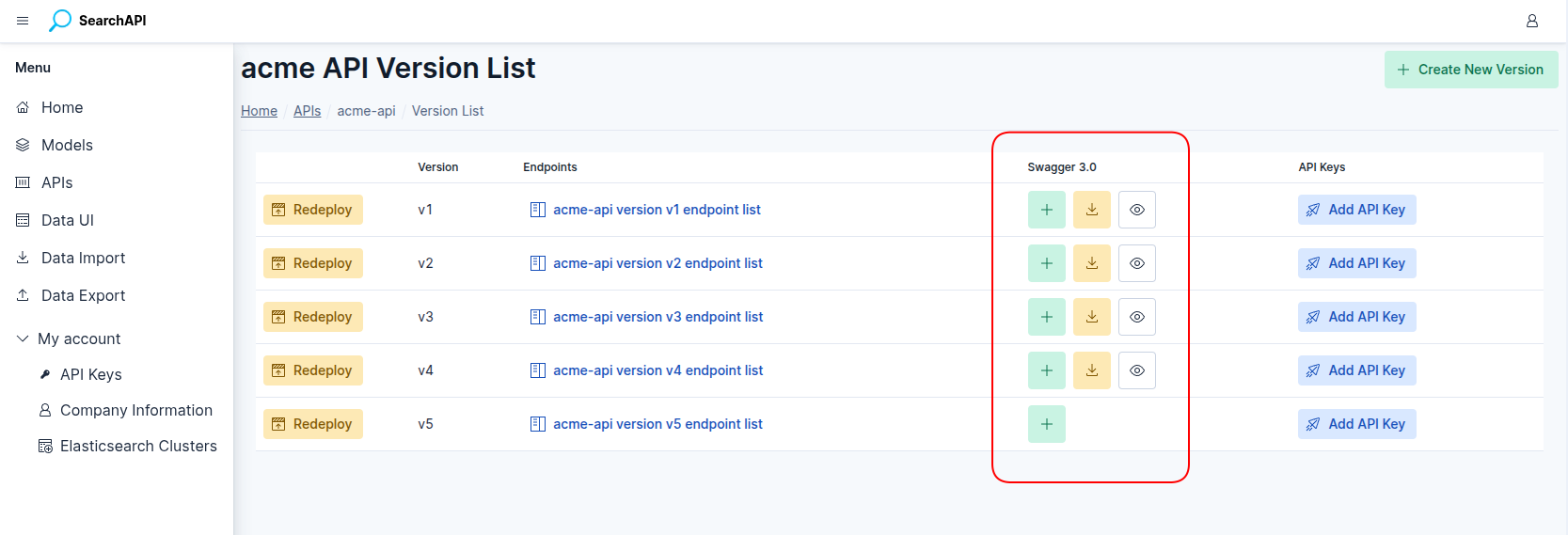 Swagger 3.0 column screenshot
Sharing the Swagger UI
The View URL is public — anyone who has the link can open the Swagger UI without needing a SearchAPI account. Copy the URL from the browser after clicking View and share it with your team, partners, or any API consumer who needs to explore your endpoints.
Authentication in Swagger UI
All endpoints in the generated document require an API key. When testing directly from the Swagger UI, click the Authorize button, enter your API key in the X-API-KEY field, and confirm. The key will be sent automatically with every request made through the UI.
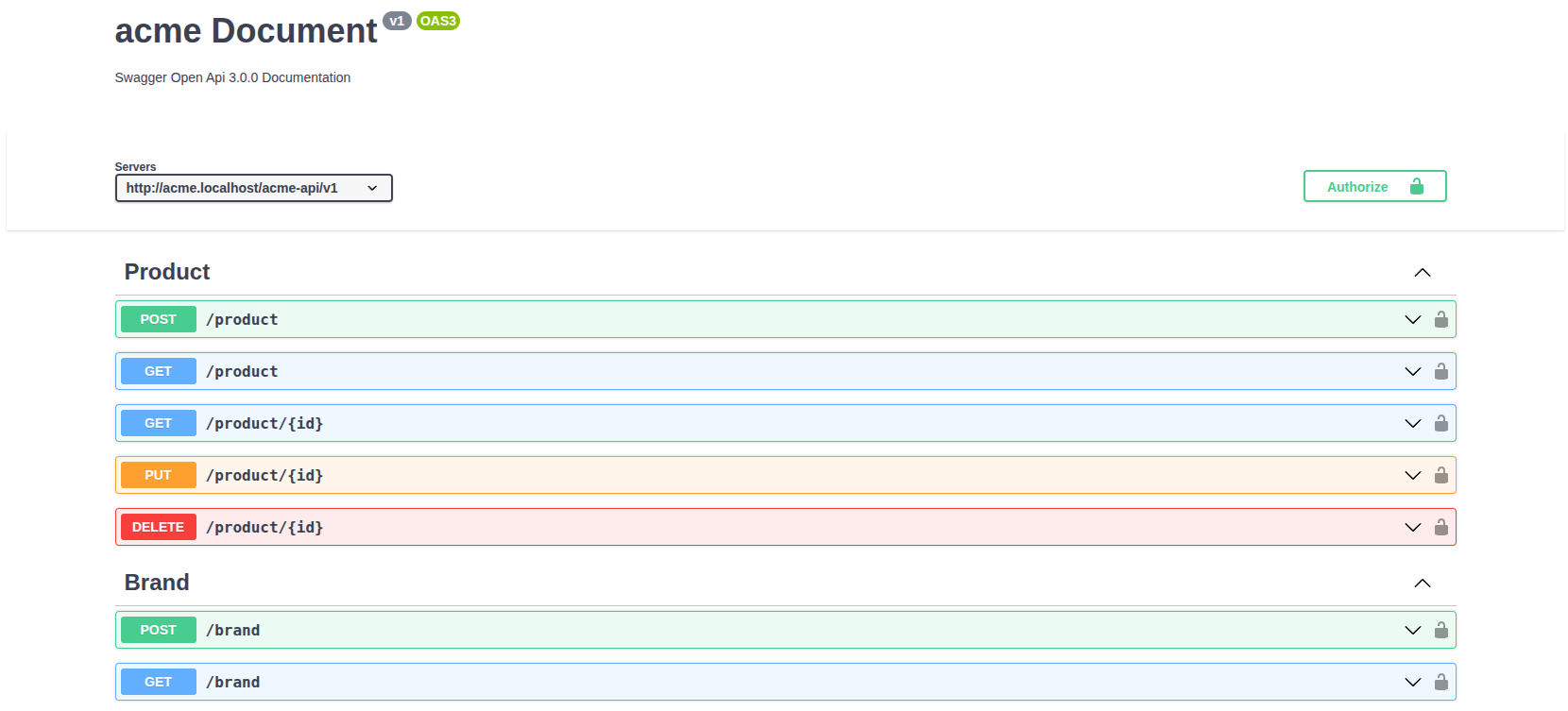 Swagger UI — interactive API documentation
What's Included
The generated document covers the full version:
-
Server URL — the base URL for all endpoints, constructed from your subdomain, API path, and version slug (e.g.
acme.searchapi.net/acme-api/v1). -
GET endpoints — query parameters for each model field, a
qparameter for full-text search, and asortparameter with an enum of sortable field names (prefix with-for descending order). -
POST / PUT endpoints — a request body schema with all model fields, their types, formats, example values, and required constraints.
-
DELETE endpoints — a path parameter for the record identifier; no request body.
-
Response schemas — success (
200/201/204) and error (400,401,403,404,409,410,422) responses, each with an example payload.