API Keys
API keys control which clients can access your endpoints.
What is an API Key?
An API key is a credential used to authenticate requests to your endpoints. Every request to a SearchAPI endpoint must include a valid key that has been assigned to that endpoint — requests without one are rejected. Keys let you grant or restrict access at the individual endpoint level, across API versions.
Creating an API Key
Navigate to API Keys in the sidebar and click Create API Key. A modal will open with a single Name field. Enter a descriptive name to identify the key (e.g. Mobile App, Partner Integration) and click Create. The new key is immediately selected and ready for permission assignment.
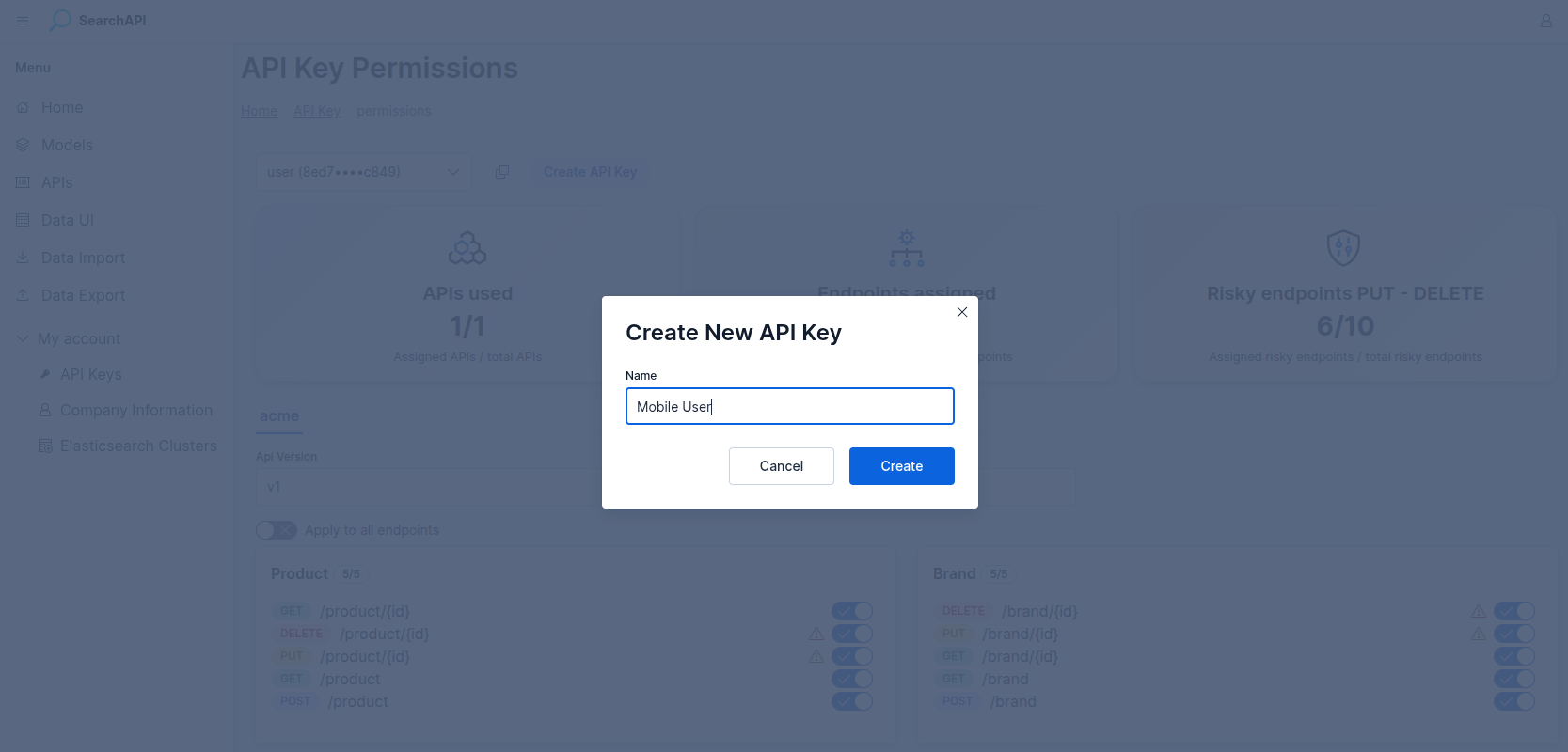 Create API Key modal screenshot
Permissions Page
The Permissions page is the central place for managing which endpoints each API key can access. At the top of the page, three summary cards give you a quick overview:
-
APIs used — how many of your APIs have at least one endpoint assigned to the selected key, out of the total number of APIs.
-
Endpoints assigned — how many endpoints within the active API are assigned to the key, out of the total.
-
Risky endpoints PUT / DELETE — tracks write and delete endpoints separately so you can see at a glance how much destructive access the key has.
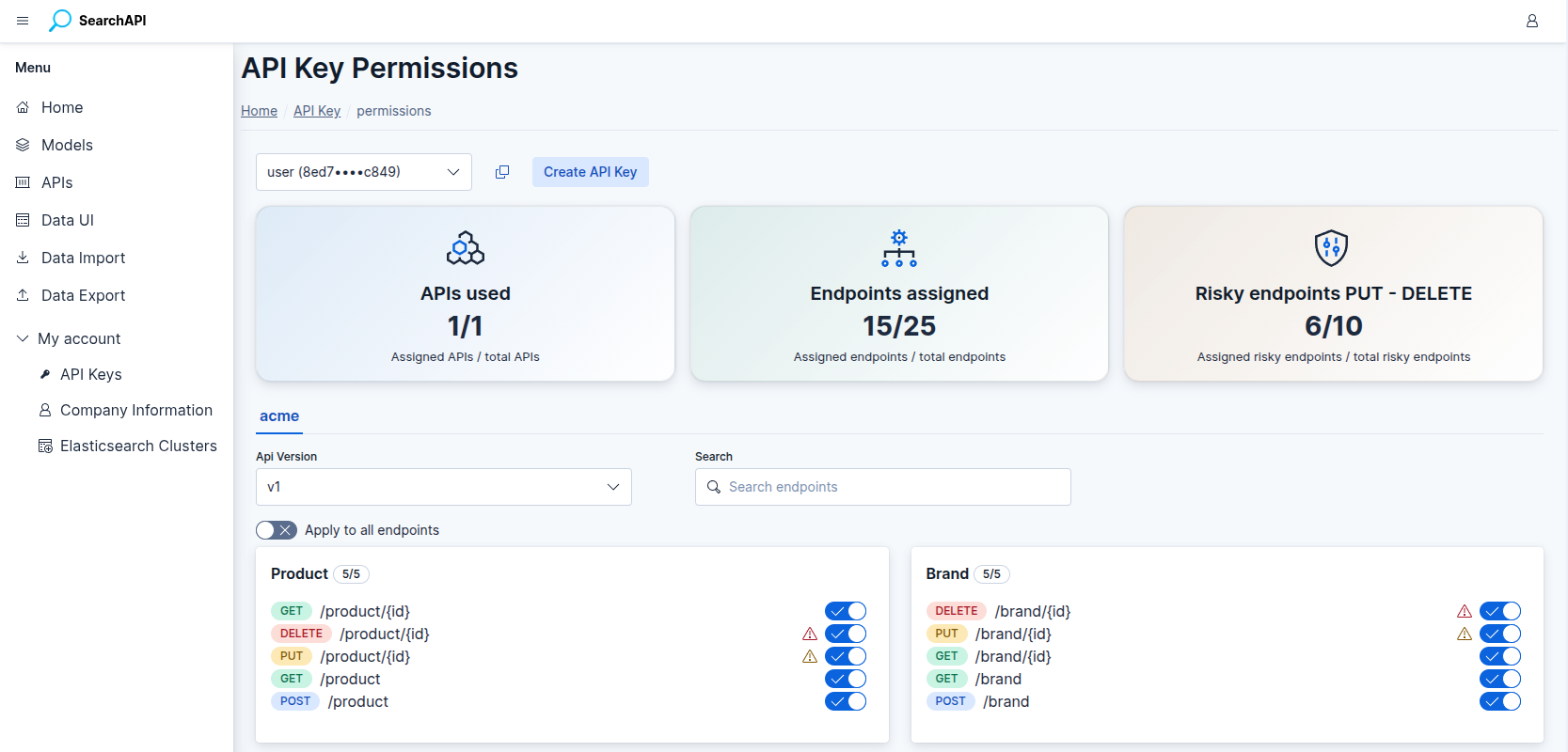 Permissions page screenshot
Assigning Permissions
Select an API key from the dropdown at the top of the page. The page then shows the endpoints for each of your APIs, organised in tabs. For each API:
-
Version selector — choose a specific API version or All versions to apply the permission across every version at once.
-
Endpoint cards — endpoints are grouped by path. Each card shows the assigned / total count as a badge. Use the toggle next to each endpoint to grant or revoke access individually.
-
Apply to all endpoints — a bulk switch at the top of the endpoint list that grants or revokes access to every endpoint in the active API at once. Use individual endpoint toggles to fine-tune access after applying the bulk switch.
-
Search — filter the endpoint list by path or HTTP method.
Click Save Changes to persist your selections. The button appears only when there are unsaved changes. If the version is already deployed, saved changes take effect immediately. If the version has not been deployed yet, they take effect once it is deployed.
All Versions
Selecting All versions from the version dropdown grants the key access to every existing and future version of that API. This is useful for keys that should work regardless of which version is currently deployed. A warning is shown as a reminder to save the change before it takes effect.
Risky Endpoints
PUT and DELETE endpoints are considered risky because they modify
or remove data. The summary card tracks how many of these are assigned to the selected key,
giving you visibility over which keys have write or delete access. Review this count
carefully before sharing a key with external consumers.
Prerequisites
The Permissions page requires an API, a model, and at least one endpoint to be set up before keys can be assigned. If any of these are missing, the page shows a step-by-step guide with links to create each prerequisite:
- Step 1 — Create an API
- Step 2 — Create a model
- Step 3 — Create an endpoint