Data UI
Data UI is a built-in interface that lets you browse, search, create, edit, and delete documents directly from the platform — no API calls or external tooling required.
Before You Start
Data UI reads from and writes to Elasticsearch indexes that are created when an API version is deployed. The following must be in place before any data can be loaded:
- API — at least one API created
- Model — at least one model with fields defined; table columns and forms are generated from the model mapping
- Endpoint — at least one endpoint assigned to the model on an API version; models without an endpoint assignment do not appear in the selector
- Deployed API Version — the API version must be deployed; deployment creates the Elasticsearch index and without it Data UI cannot read or write documents
- Data Import — bulk-load records from a CSV or Excel file; once the import completes, all records are immediately visible and editable in Data UI (optional)
Overview
Data UI gives you a table view of your index data. You select an API version and a model, and the interface loads the corresponding documents from Elasticsearch. All operations go through the same validation and relational rules that apply to the API.
Selecting a Model
Use the selector at the top of the page to choose an API version and a model. The table updates automatically and shows the columns defined in the model's mapping. Only models that have at least one endpoint configured for the selected API version are listed.
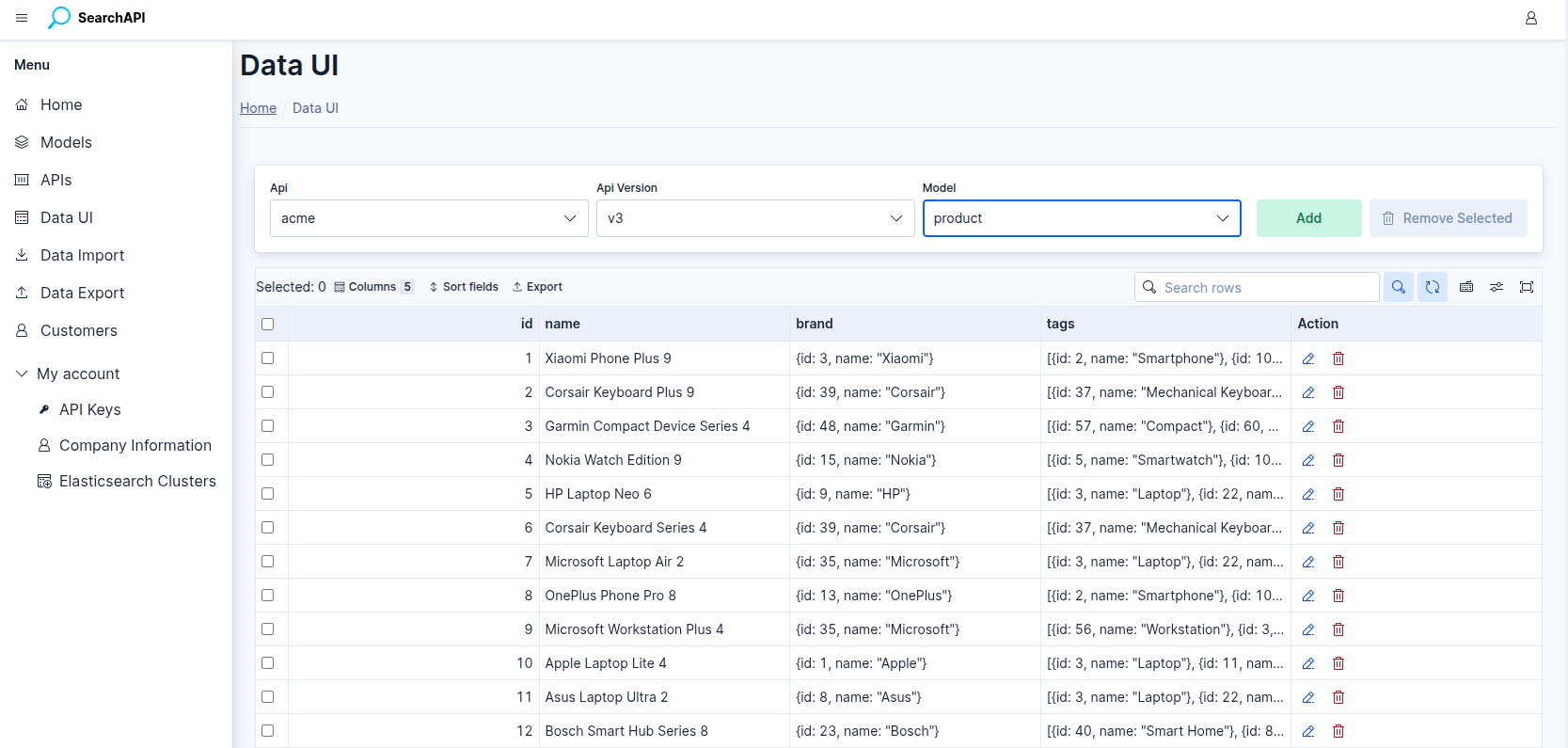 Select an API version and model to load the document table
Browsing & Searching
Documents are loaded in pages. Use the search box to search across all fields marked as searchable in the model configuration. A document is returned if any searchable field matches the query (OR logic). Fields not marked as searchable are never included in the search.
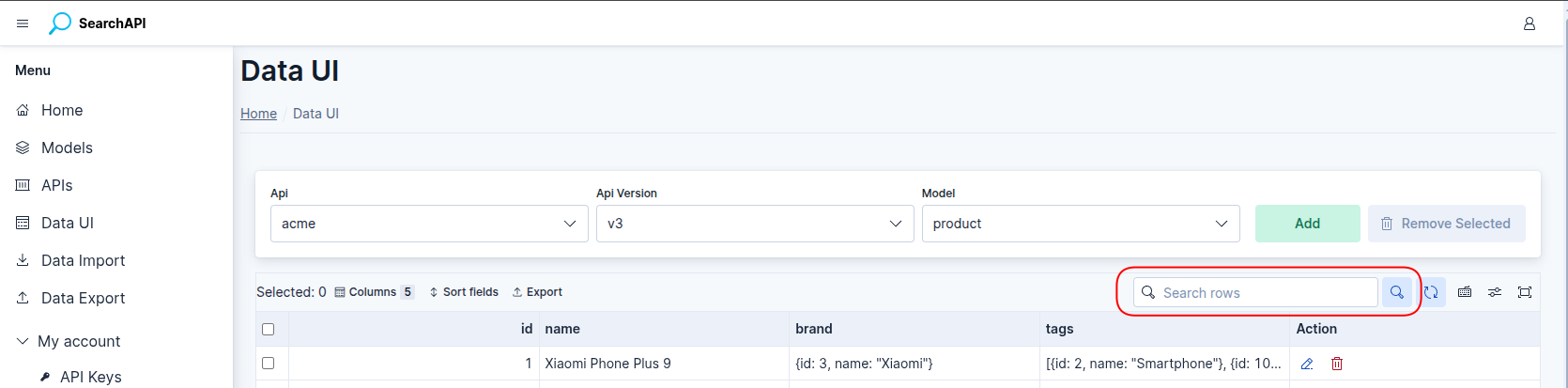 Document table with pagination and full-text search
Relevance Score
The Score column shows each document's relevance score — how well it matches the
current search. The score is calculated by Elasticsearch from the search query and the
field boosts configured on the model's endpoint, so it
reflects the same ranking your API consumers get from a q search.
When a search is entered or any field boost is set, the table is ordered by score (highest first, then by primary key) unless you sort by a column yourself. Sorting by a column changes only the order; the score values are still shown.
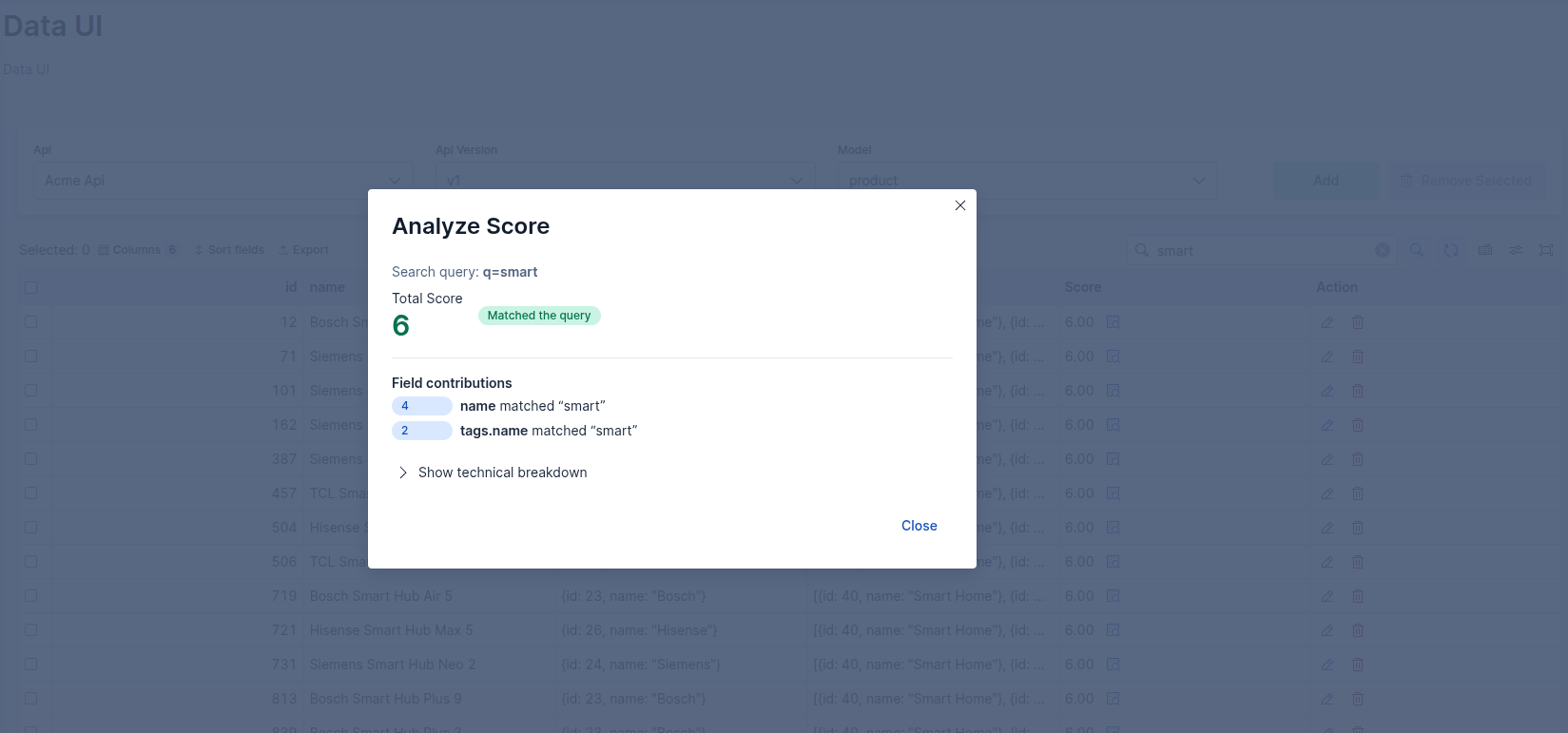 Score column with the Analyze Score button
Analyze Score
Click the inspect icon next to a score to open the Analyze Score window, which explains why the document received that score:
- Total Score — the document's score, with a badge showing whether it matched the current search query
- Field contributions — each field that matched a search term and how many points it added, highest first. Use this to check whether your field boosts work as intended
- Show technical breakdown — the full Elasticsearch score explanation as an expandable tree, for advanced debugging
If no search is entered, all documents have the same default score and no field contributions are listed.
Creating a Record
Click Add New Record to open the creation form. The form is generated from the model mapping:
- Required fields are marked and must be filled.
- Relational fields (object / nested) show a dropdown populated from the related index. Select one item for object fields or multiple items for nested fields.
- Date fields expect
YYYY-MM-DDorYYYY-MM-DDTHH:MM:SSformat.
On submit, the record is validated and indexed. If a document with the same primary key already exists, the creation is rejected.
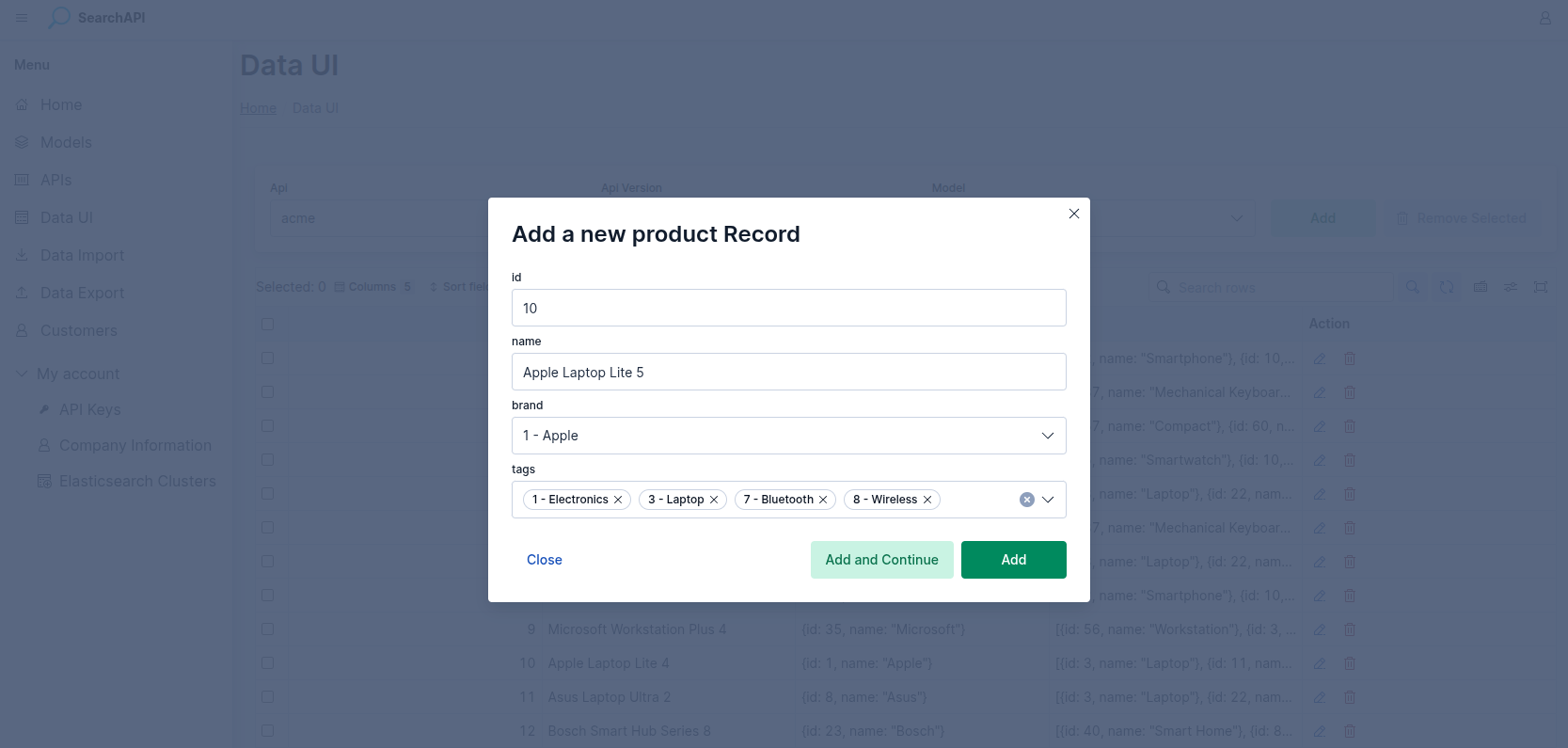 Create form with required field indicators and relational dropdowns
Editing a Record
Click a row to open the edit form. All fields are pre-filled with the current values. Save changes to update the document in Elasticsearch.
Relational cascade update
If the record is embedded in other models and you change a visible field, the platform automatically updates all affected related documents in the background after saving. The UI shows how many records will be affected before you confirm.
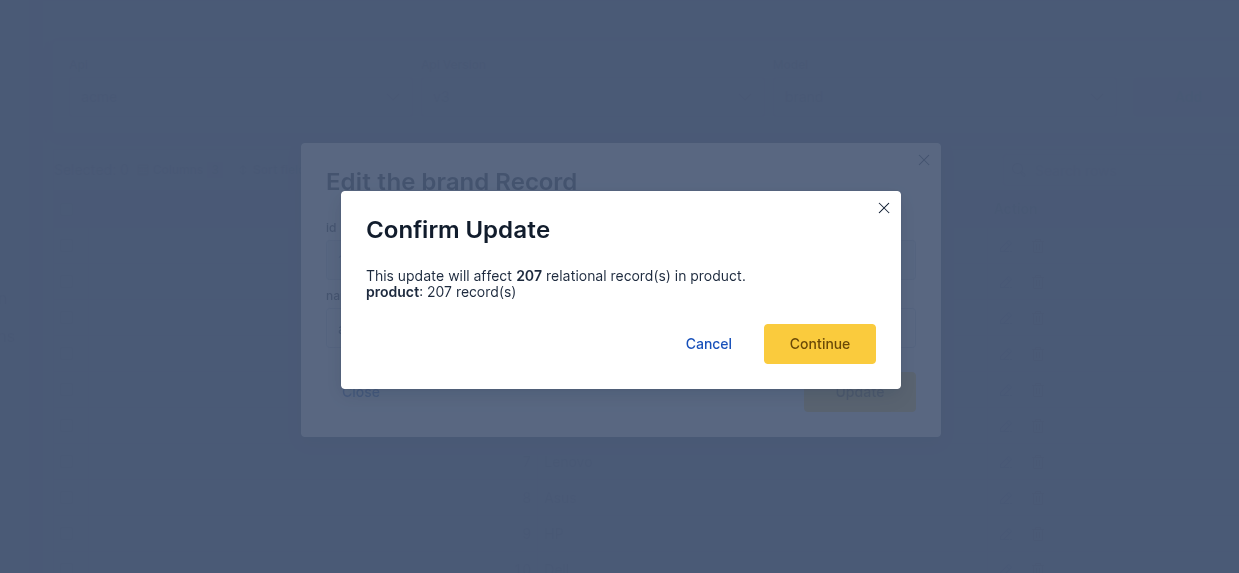 Edit form pre-filled with existing document values
Deleting Records
You can delete a single record from its row, or select multiple rows and delete them in bulk. A record cannot be deleted if it is currently referenced by another document — the UI shows which models hold the reference.
| Scenario | Result |
|---|---|
| Record has no references | Deleted immediately |
| Record is referenced by another model | Blocked — the referencing model names are shown |
| Bulk delete with mixed records | Unreferenced records are deleted; referenced ones are listed as blocked |